Blank Space Copy-Paste Tool Complete Guide in 2025
Introduction
Every pixel, every character, and—even more intriguing—every blank counts in the digital age we live in today. The ability to manipulate “nothingness” is becoming more and more valuable in a variety of contexts, including social media formatting, creative text layouts, templated code snippets, and hidden-text feedback loops. Learn about the seemingly insignificant practice of blank space copy-paste, which has a subtle impact on software design, user experience, and content creation.
With the goal of revealing the depths of invisible and empty characters, this guide will provide you with useful techniques, astute tools, and calculated applications that will improve your digital craftsmanship. Understanding blank space copy-paste behavior can be your secret weapon, whether you’re a developer, copywriter, digital marketer, or power user.
1. What “Blank Space copy-paste” Is All About?
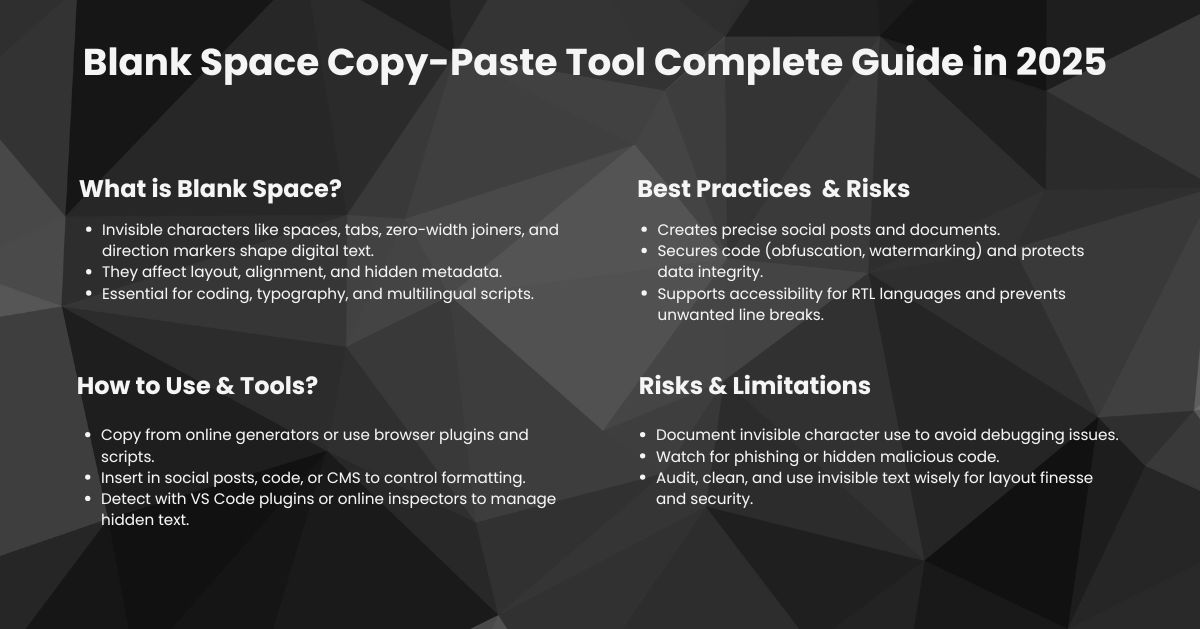
“Blank space copy-paste” refers to the act of copying invisible or whitespace characters, like standard spaces, tabs, no-break spaces, or zero-width spaces, into text. Though they appear blank, these characters can affect formatting, text alignment, code behavior, or bypass character restrictions. They’re often used in web design, programming, and even social media tricks. Understanding them is important because they can subtly influence how content is displayed or processed, even when nothing visible seems to have been copied or pasted. These consist of the following in digital text:
- Standard space (U+0020): The basic space you type with the spacebar.
- Tab (U+0009): Often used for indentation or structure in coding.
- No‑break space (U+00A0): A space that prevents automatic line breaks.
- Zero‑width joiner/non‑joiner (U+200C, U+200D): Invisible characters affecting ligatures or word composition.
- Zero‑width space (U+200B): A placeholder that “makes a break” without showing.
- Word joiner (U+2060): More powerful than no‑break space; ensures words stay together.
- Left‑to‑right and right‑to‑left markers (U+200E, U+200F): Invisible directionality cues.
- Zero‑width non‑joiner and zero‑width joiner (U+200C, U+200D): Control how glyphs form in scripts, critical in Arabic, Indic writing, etc.
Even though they are not visible, these invisible symbols affect UI behavior, code structure, text alignment, spacing, and even features like formatting control and anti-tampering.
2. Why Blank space copy‑paste Matters in 2025
2.1 Formatting Precision
- Social media & document layouts: Perfect spacing creates more readable, aesthetically pleasing posts. Invisible characters allow line breaks, vertical whitespace, and indent spacing—in apps like Instagram, Notion, or LinkedIn—even when the platform “trims” extra spaces. Copy and paste blank characters help you maintain precision.
2.2 Data Hygiene
- Preventing layout shifts: Invisible characters can cause columns to jump or shift in tables. Detecting and cleaning hidden characters helps maintain clean data pipelines and user‑interface layouts.
2.3 Code Obfuscation & Security
- Hidden‑character exploits: Malicious actors have used zero‑width characters to spoof domain names (e.g., phishing), hide malicious code in repositories, or confuse diff tools.
- Anti‑tampering/ watermarking: Conversely, blank space copy and paste or hidden characters can embed author stamps or metadata imperceptibly.
2.4 Accessibility & Localization
- Right‑to‑left language support: Invisible markers correctly orient Hebrew, Arabic, Persian, or Urdu text, all pivotal in multilingual applications.
- Line‑breaking control: No‑break spaces signal that words (brand names, URLs) shouldn’t wrap, enhancing readability.
2.5 Hidden Metadata
- Invisible notes & interaction cues: Writers sometimes place invisible Unicode strings into digital files to store revision notes or triggers in macros—after all, invisible to human eyes but recognized by software.
3. How to Copy and Paste Blank Characters Effectively
3.1 Basic Invisible Character Clipboard Method
- Find a Blank Space Copy-Paste generator (see next section).
- Select and copy and paste the invisible character(s).
- Paste where needed—a social post, code block, or document.
It’s that straightforward. However, nuances matter:
- Between U+0020 and U+00A0, the latter prevents accidental wrapping.
- Using zero‑width space (U+200B) gives you “nothing” that can still break a line, or be inserted to prevent joining of words or emojis.
- For RTL languages or specialized cases, U+200E/U+200F can ensure correct orientation.
3.2 Advanced: Using Pendand or Custom Tools
- Online generators: Pull from curated sets of invisible Unicode characters.
- Browser extensions: One‑click insertion of blank, tab, zero‑width, etc.
- Tiny desktop utilities: Mac Automator or Windows PowerShell scripts to insert invisible protophobic.
- Custom web‑app or Chrome plugin: For teams needing consistent “blank formatting” in collaborative documents or CMS systems.
3.3 Embedding in Content Blocks
- Markdown, CMS editors, and rich-text platforms all benefit from blank copy paste characters to maintain formatting.
- CMS editors: Use invisible characters to enforce consistent spacing in WYSIWYG HTML editors that strip visible space.
- Rich‑text platforms: Enforce line breaks in Slack/Discord using “/” commands; invisible spaces preserve formatting.
4. Tools & Resources (2025)
Here are the top current tools to help generate, manage, and inspect invisible characters.
4.1 Online Blank‑Space Copy-Paste Generators
- Invisible Text Generator: Generates strings of U+200B, U+2060, or variation. Copy‑paste ready.
- Unicode Provider: Customizable lineup: choose directionality mark, zero‑width joiner, etc.
- Hidden Text Tools: Let you create secret watermarking using invisible characters.
4.2 Browser Extensions
- “Invisible Copy” for Chrome/Edge: Dropdown menu to produce spaces, zero‑width codes, NBSP, etc.
- “Blank Writer” for Firefox: Hotkey insertion at cursor: choose from menu of invisible characters.
- All extensions are open‑source, customizable with a favorite invisible token set.
4.3 Desktop Utilities & Scripts
- Mac Automator/Shortcuts: Quick service to generate invisible characters via a hotkey.
Windows PowerShell snippet:
powershell
CopyEdit
# paste zero‑width space
Set‑Clipboard ([char]0x200B)
- Cross‑platform CLI scripts: Node.js or Python modules to embed invisible markers in files.
4.4 UI Inspection Tools
- Unicode Inspector Plugins: VS Code extension reveals hidden characters inline and color‑marks them.
- Online whitespace detectors: Paste text, highlight zero‑width and NBSP occurrences, with count and copy filter.
5. Common Scenarios & Best Practices
5.1 Maintaining Social‑Media Aesthetics
Example: Lining up text in the Instagram bio requires extra lines.
- Use: Copy a block of zero‑width spaces.
- Benefit: Clean formatting; no raw underscores or dashes.
5.2 Preventing Text Wrapping
In HTML:
html
CopyEdit
<span>Company&NoBreakSpace;Name</span>
- No‑break space (U+00A0) keeps the parts together on one line.
5.3 Safeguarding Code Repositories
- Use Git pre‑commit hooks via a VS Code extension to detect zero‑width intrusions.
- Educate teammates about ‘stealth’ code inclusion.
- Normalize whitespace by running tr -d ‘\u200B’ in CI pipelines.
5.4 Concealing Watermarks
- Distribute apparent plaintext with embedded zero‑width watermarks.
- Later, detect your watermark via a search for U+200B patterns.
- Use variation patterns to generate unique invisible digital fingerprints.
5.5 Language Directionality Management
In a multilingual CMS, wrap RTL quotes with:
html
CopyEdit
<span>‏مرحبا!</span>
- Prevent odd switching and alignment issues in a mixed‑direction layout.
6. Pitfalls & Cautions
6.1 Detection of Blind Spots
- Many text editors and diff tools don’t surface invisible characters. VS Code, Sublime, and Intellij and Sublime have plugins; others may ignore.
6.2 Security Risks
- Invisible‑character domain spoofing—e.g., “paypаl.com” with Cyrillic ‘а’.
- Invisible code in comments or strings in repos—malicious users might hide behavior.
- Recommended: Include detection/normalization processes in workflows.
6.3 Search & Indexing Issues
- Search engines often collapse whitespace—zero‑width characters might be ignored or flagged.
- Blindness for accessibility tools—screen‑readers may ignore or interpret invisibles differently. Thorough testing is wise.
6.4 Maintenance Complexity
- Invisible markers embedded years ago can hamper debugging.
- Document invisible usage patterns for your team.
- Use descriptive metadata instead of invisible hacks when possible.
7. Inspecting and Cleaning Hidden Text
7.1 Tools to Detect Invisible Characters
| Tool | Highlights | output |
| VS Code “Show Unicode Control Characters” | Color‑highlight U+200B etc, inline | Visual |
| Online whitespace detector | Color‑highlight U+200B etc, inline | Report |
7.2 Removing Unwanted Invisibility
- CSS solution: white-space: pre-wrap can collapse normalized spaces but strip ZWSP.
CLI cleanup:
Bash tr -d ‘\u200B\u200C\u200D\uFEFF’ < infile.txt > clean.txt
- Git pre-commit hooks: Auto-scan and refuse commits that include category Cf characters.
8. Invisible Characters in the Wild
- Modern phishing attacks: A hacker used a zero‑width space in a domain name to trick corporate users, costing thousands.
- Indie authors: Use blank lines in Medium and Substack by inserting zero‑width spaces between paragraphs to simulate spacing.
- Programming contests: Some coders hide attempts or solutions using invisible Unicode in source, until organizers strip them for fairness.
9. Summary: Best Practices 2025 Edition
- Know your characters — Understand each type, from basic space to zero‑width joiner.
- Pick the right tool — Whether generator, plugin, script, or CLI, choose based on workflow.
- Document usage — Don’t let invisible text become invisible trouble.
- Secure and audit — Detect stray invisibles and remove them before deployment.
- Use with purpose — Layout finesse, watermarking strategies, language direction controls, all valid uses.
10. Bonus: Quick Reference Cheat Sheet
| Purpose | Invisible Character(s) | Unicode Code |
| Basic space | Standard Space | U+0020 |
| Prevent wrap | No‑break Space | U+00A0 |
| Line/logical separation | Tab | U+0009 |
| Invisible break point | Zero‑width Space | U+200B |
| Prevent reordering/ligature | Zero‑width Joiner/Non‑joiner | U+200C / U+200D |
| Strong no‑break | Word Joiner | U+2060 |
| Left / Right directionality | LRM / RLM | U+200E / U+200F |
Final Thoughts
Mastering invisible characters is mastery of nuance. While black space copy-paste is often a powerful tool, whether to shape aesthetic appeal, protect content integrity, support languages, or even a stealth watermark. As we progress deeper into 2025’s user‑centered, multilingual, security‑mindful digital landscape, blank‑space copy‑paste transforms from curiosity into craft.
The next time you want a perfect line break, an unbreakable phrase, or a hidden signature—remember: in design and code alike, silence speaks volumes.